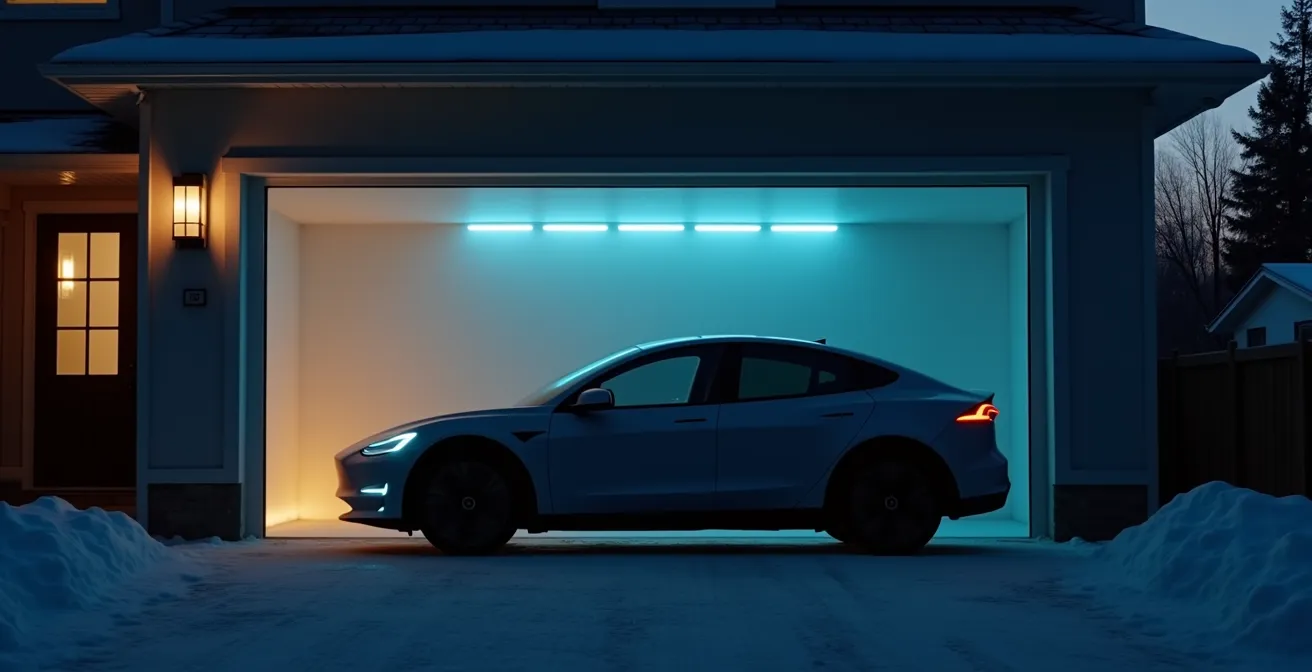
The promise of an ever-improving car through software updates is often overshadowed by bricked systems, unexpected paywalls, and data privacy concerns.
- Environmental factors, especially Canadian winters, can critically impact update success.
- Manufacturers are shifting value from hardware to subscription-based software features.
- Your vehicle is a target; securing your home network is the first line of defense.
Recommendation: Treat your vehicle like a critical piece of hardware. Managing its software requires adopting a system administrator’s mindset focused on environmental control, update hygiene, and data sovereignty.
That exciting « Update Available » notification on your car’s dashboard feels like a promise of progress—new features, better performance, a vehicle that evolves with technology. Yet, for many modern car owners, this promise is often paired with a sense of dread. Will this update fix the infotainment lag, or will it disable my car in the middle of a Canadian winter? Why is a feature that was free yesterday now part of a monthly subscription? The convenience of over-the-air (OTA) updates has introduced a new layer of complexity and risk into car ownership.
Most advice focuses on the basics: ensure you have a good Wi-Fi connection and a charged battery. While true, this surface-level guidance ignores the deeper issues at play. Your car is no longer just a mechanical device; it is a software-defined vehicle, a rolling network of computers operating in a potentially hostile environment. The real challenge isn’t just downloading a file; it’s managing a complex digital asset whose value and functionality are increasingly controlled by the manufacturer.
But what if the key wasn’t just to follow the on-screen prompts, but to fundamentally change your approach? This guide adopts a tech-savvy and cautious perspective, arguing that modern car owners must act less like drivers and more like system administrators. We will explore the hidden risks tied to your physical environment, the economic logic behind software paywalls, and the very real cybersecurity threats. More importantly, you’ll learn concrete strategies to regain control, from securing your digital footprint to optimizing your home network for reliable updates.
This article provides a comprehensive roadmap for navigating the new reality of the software-defined vehicle. The following sections break down the critical risks and empower you with the knowledge to manage your car’s digital life effectively.
Summary: Managing the Software-Defined Vehicle
- Why you should never start an update parked on the street?
- Why is your heated seat function locked behind a software paywall?
- Can hackers inject malware into your car during a wireless update?
- The critical firmware updates that only a dealer can install
- How to extend your home Wi-Fi to the driveway for faster downloads?
- Who is buying your location history from your car manufacturer?
- Waze vs Google Maps: Which one handles Canadian construction zones better?
- How to opt-out of data sharing in your car’s infotainment menu?
Why you should never start an update parked on the street?
Initiating an OTA update while parked on the street, especially during a Canadian winter, is a significant gamble. The primary risk isn’t just a slow download; it’s the potential for « bricking » your vehicle—rendering it inoperable. During an update, your car’s systems are in a vulnerable state, and the process relies heavily on a stable power supply from the 12-volt battery, not the main EV traction battery. This smaller battery powers all the onboard electronics (ECUs) and is highly susceptible to cold.
Extreme cold drastically reduces a 12V battery’s efficiency. If its voltage drops below a critical threshold during the update, the process can fail, corrupting essential software and preventing the car from starting. The hostile environment of a city street adds other variables: fluctuating Wi-Fi signals and the inability to connect a battery tender. A recent analysis highlighted how severely cold weather impacts electric vehicles, with one report showing the range of a Tesla Model S dropping by 55 per cent. If the main battery is that vulnerable, the unassuming 12V battery faces an even greater challenge.

This image captures the reality of the « environmental control » problem. The ice and frost symbolize the harsh conditions that your car’s sensitive electronics must endure. An update should therefore be treated like a delicate operation, performed in a controlled environment like a garage where the temperature is stable and you can connect a battery maintainer as a failsafe. Leaving it to chance on a frozen street is risking a tow truck visit for a completely preventable software failure.
Why is your heated seat function locked behind a software paywall?
The frustration of seeing a physical button for heated seats in your car that does nothing without a monthly subscription is a direct consequence of the industry’s shift to a software-defined value model. Automakers now build vehicles with hardware capabilities pre-installed (like heating elements in seats) and then use software to enable or disable them based on what you’ve paid for. This strategy serves a crucial economic purpose: creating recurring revenue streams long after the initial sale.
This isn’t just a niche trend; it’s the future of automotive profitability. An industry report projects that by 2025, software could account for as much as 50% of a vehicle’s value. Manufacturers are no longer just selling a physical product; they are selling access to a platform of features. This allows them to lower the initial sticker price while building a long-term, high-margin relationship with the customer through subscriptions for everything from performance boosts to advanced driver-assist features.
This strategy is openly acknowledged by industry leaders. As one executive explained, it’s about capturing future spending decisions from the customer. The Volkswagen Group CEO articulated this mindset clearly in an interview with The Verge:
We have that revenue in mind for sure as well. Customers will be prepared for some features they didn’t buy at the start, probably after a few years or after a few months — even if they consider taking another option or another software feature, the customers would be prepared to pay a monthly fee or a one-time expenditure.
– Volkswagen Group CEO, The Verge interview
For the car owner, this means the concept of « ownership » is changing. You own the hardware, but you are increasingly just licensing the software that makes it work. Understanding this financial motive is key to navigating the new world of automotive features, where your car’s capabilities can change with a simple software update and a new line on your credit card statement.
Can hackers inject malware into your car during a wireless update?
Yes, the threat is real. While automakers invest heavily in security, any wirelessly connected device is a potential target, and a vehicle is no exception. An OTA update requires your car to open a communication channel to download and install new software. If this channel is not properly secured, it can become an attack vector for hackers to inject malware. The most significant risk comes from connecting to unsecured public Wi-Fi networks, such as those at coffee shops or shopping centers, where « man-in-the-middle » attacks are more easily executed.
In such an attack, a hacker intercepts the communication between your car and the manufacturer’s server, potentially replacing the legitimate update file with a malicious one. The consequences could range from benign pranks (like activating the horn) to severe safety risks, such as disabling brakes or interfering with steering control systems. While a direct, widespread attack on a fleet of vehicles remains complex, the underlying infrastructure is a known target. The Canadian Centre for Cyber Security has reported multiple breaches of critical infrastructure, demonstrating that motivated attackers are actively probing connected systems within Canada.
The most effective defense for a car owner is practicing good update hygiene. This means treating your vehicle’s software with the same caution you would a personal computer or smartphone. Always perform updates on a trusted and secured network—your home Wi-Fi. This simple precaution dramatically reduces the risk of interception and ensures the integrity of the software being installed. Taking control of your car’s digital security starts with controlling the environment in which it communicates.
Your 5-Step Checklist for Secure OTA Updates
- Connection Security: Only accept and initiate OTA updates while your vehicle is connected to your secure, password-protected home Wi-Fi network.
- Avoid Public Networks: Never use public Wi-Fi at locations like coffee shops, airports, or fast-food restaurants for vehicle updates, as these are prime targets for interception.
- Enable Multi-Factor Authentication: If your vehicle’s companion app offers two-factor or multi-factor authentication (2FA/MFA), enable it immediately to secure your account access.
- Check for Patches: Periodically check your vehicle’s infotainment system or the manufacturer’s website for any specific security patches or advisories.
- Audit Permissions: Regularly review your vehicle’s data sharing permissions in the settings menu and disable any that are not essential for the features you use.
The critical firmware updates that only a dealer can install
A common misconception is that OTA updates have eliminated the need for dealership visits for software issues. This is only partially true. It’s crucial to understand the distinction between software and firmware. Most OTA updates target the infotainment system, navigation, and other user-facing features—this is the software. Firmware, on the other hand, is low-level code that controls the core hardware components of your vehicle, such as the engine control unit (ECU), braking systems, and airbag controllers.
Due to the immense safety implications, updates to critical firmware are often deemed too risky to perform over the air. A failed firmware update could have catastrophic consequences, which is why manufacturers frequently require these to be performed in the controlled environment of a dealership by a certified technician. Historically, software bugs in these core systems have led to massive recalls where owners had to physically bring their cars in, as was the case with Volkswagen’s emissions software fix. While OTA could have streamlined some of these, the principle of caution for core systems remains.
Even in the age of connected cars, large-scale recalls for software and firmware issues are common. For instance, in the first part of 2024 alone, Ford issued 109 recalls affecting over 7.8 million vehicles, many of which required a dealer visit. This serves as a stark reminder that not all digital problems can be solved from your driveway. When you receive a recall notice for a safety-critical system, it is not optional and almost always requires professional intervention. The OTA system is for convenience and enhancement, not a replacement for essential safety maintenance.
How to extend your home Wi-Fi to the driveway for faster downloads?
A stable, strong Wi-Fi signal reaching your vehicle is the cornerstone of successful OTA updates. For many Canadian homeowners, especially those in suburbs with detached garages or long driveways, the router’s signal simply doesn’t cut it. Weak or intermittent connectivity can lead to corrupted downloads and failed updates. Fortunately, several robust solutions exist to ensure solid « environmental control » over your network.
The most effective solution is a mesh Wi-Fi system. Unlike a single extender that just repeats a weakened signal, a mesh system uses multiple nodes to create a single, seamless, and powerful network across your entire property. When selecting one, look for outdoor-rated models specifically tested to withstand Canadian temperature swings, from -30°C to +30°C. This ensures reliability year-round. Positioning is key; place a node near a window facing the driveway or inside the garage for the best line-of-sight signal.

The image above visualizes the goal: a seamless flow of data from your home to your car, regardless of winter conditions. If running cables is not an option, especially for a detached garage, powerline adapters are an excellent alternative. These devices use your home’s existing electrical wiring to transmit the network signal, allowing you to create a strong, wired access point in your garage. For a successful implementation, consider these Canada-specific strategies:
- Install outdoor-rated mesh Wi-Fi systems tested for extreme temperatures.
- Use powerline adapters to extend your network to detached garages common in Canadian suburbs.
- When placing Wi-Fi extenders or mesh nodes, consider your home’s construction; brick and concrete block signal far more than vinyl or wood siding.
- Schedule large updates to run overnight when your home network is least congested and the car is guaranteed to be connected.
Who is buying your location history from your car manufacturer?
When you drive your connected car, you’re generating a vast and valuable stream of data. This isn’t just about your infotainment preferences; it includes highly sensitive information. As confirmed by industry service providers, manufacturers routinely collect essential data points such as GPS data, vehicle speed, and diagnostic codes from the ECU. This process, known as telematics, is fundamental to the connected car ecosystem. The critical question for owners is: what happens to this data?
Automakers argue that this data is used to improve products and provide connected services like live traffic and remote diagnostics. However, this data is also a highly valuable commodity. It can be anonymized, aggregated, and sold to a wide range of third parties. Your driving patterns, including frequent destinations, times of travel, and driving style (e.g., hard braking, rapid acceleration), create a detailed profile of your life.
Potential buyers of this data include:
- Insurance Companies: To build risk profiles for usage-based insurance (UBI) programs, potentially adjusting your premiums based on your actual driving behaviour.
- Urban Planners and Municipalities: To analyze traffic flow, identify congestion hotspots, and plan new infrastructure.
- Retail and Marketing Firms: To understand consumer movement patterns, identify popular commercial areas, and deliver targeted advertising. For example, data showing many drivers stop at a certain coffee chain could be valuable to competitors.
- Data Brokers: Companies that specialize in aggregating data from multiple sources to create even more detailed consumer profiles, which are then sold to other businesses.
This ecosystem operates largely out of sight for the average consumer. While privacy policies outline this data sharing in dense legal language, few owners realize the extent to which their daily movements are being monetized. This marks a critical need for car owners to exercise data sovereignty—the right to control their personal information.
Waze vs Google Maps: Which one handles Canadian construction zones better?
Choosing the right navigation app is a key part of managing your car’s software ecosystem, and in Canada, the choice often boils down to how an app handles two major challenges: constant construction and unpredictable winter weather. While both Waze and Google Maps are excellent, they have distinct strengths and weaknesses tailored to different driving priorities. Waze’s primary advantage is its real-time, crowd-sourced data. Users actively report everything from potholes and police presence to, most importantly, unannounced lane closures and detours at construction sites. This often makes it faster at adapting to the chaotic reality of a major Canadian city in the summer.
Google Maps, on the other hand, relies more on official data sources. It has better integration with provincial traffic systems (like Ontario 511 or Quebec 511), which can provide more authoritative information on major highway closures or long-term construction projects. Its weather layer integration also gives it an edge in winter, providing a broader overview of storm systems. However, it can be slower to react to the pop-up construction zones that Waze users report instantly.
Ultimately, the « better » app depends on your context. For daily city commuting where nimbleness around sudden obstacles is key, Waze often has the upper hand. For long-distance highway travel where official information and weather conditions are more critical, Google Maps may be more reliable. A comparison based on user feedback and available features reveals the trade-offs for Canadian drivers:
| Feature | Waze | Google Maps |
|---|---|---|
| Real-time user reports | Excellent crowd-sourced updates | Limited user reporting |
| Construction zones | Faster updates via users | Official data integration |
| Winter conditions | User-reported hazards (ice, etc.) | Weather layer integration |
| Provincial data (511) | Limited | Better integration |
Many savvy Canadian drivers use both, checking Waze for immediate, hyper-local conditions before starting a trip, while relying on Google Maps for the broader journey, especially on unfamiliar highways or during adverse weather events. This hybrid approach is a perfect example of actively managing your software tools rather than passively accepting a single default.
Key Takeaways
- Your car’s software is a valuable asset that requires active management, not passive acceptance.
- Environmental factors (cold, Wi-Fi quality) are as critical to update success as the software itself.
- Data privacy is not a given; you must proactively manage settings to control who profits from your driving habits.
How to opt-out of data sharing in your car’s infotainment menu?
Regaining control over your personal data starts in your car’s infotainment system. While completely severing the data connection to the manufacturer is often impossible without sacrificing key features, you can significantly limit what is shared. The process typically involves navigating deep into the settings menu to find the privacy or data sharing section. This is intentionally not always easy to find.
Look for options that allow you to customize data collection. Most systems offer several tiers of sharing. You might find separate toggles for « Usage Information, » « Location Data, » « Diagnostics, » and « Voice Commands. » Your goal is to disable everything that is not essential for the features you actively use. For example, if you don’t use the car’s native navigation, there is little reason to allow constant location sharing. Be prepared for trade-offs: disabling data sharing will almost certainly deactivate connected services like live traffic updates, remote start via an app, and concierge services.
This is the core of data sovereignty: making a conscious choice between convenience and privacy. Read the descriptions for each toggle carefully. The language is often crafted to discourage you from opting out, warning of a « degraded experience. » You must decide which features are worth the data you provide. Keep in mind that some data collection, particularly related to safety systems and regulatory compliance (e.g., for Transport Canada), may be mandatory and cannot be disabled. Regularly check these settings, as a major OTA update can sometimes reset them to the default, more permissive options.
By regularly auditing these settings and making informed choices, you take a crucial step in managing your software-defined vehicle, ensuring it serves your needs without unnecessarily compromising your privacy. Your next step should be to evaluate your own vehicle’s settings and decide on the right balance for you.
Frequently Asked Questions About Over-The-Air Updates: New Features or New Glitches?
Can I completely opt out of all data collection?
Not entirely. Manufacturers may still collect safety and regulatory compliance data as required by authorities like Transport Canada. However, you can typically opt out of sharing data related to marketing, third-party services, and detailed driving behaviour.
Will opting out disable connected features?
Yes, in most cases. Opting out of data sharing will likely disable features such as live traffic updates, remote start/lock from your phone, and in-car concierge services, as these functions rely on a constant data connection to operate.
How do I know what data is being collected?
The most reliable sources are your vehicle’s privacy policy document and the data settings menu within the infotainment system. These sections should provide details on the types of data collected and how they are used.